

Most VPN reviews are written by people who ran a single speed test, looked at the marketing page, and called it a day. That’s not what this is. I’ve been testing VPNs professionally for over six years, and for this guide I spent January and February 2026 running fresh tests across all five providers — because speed rankings from even six months ago can be outdated once a provider upgrades their infrastructure or rolls out a new protocol.
The short version: most VPNs are slow. Not because encryption is inherently slow (it isn’t, not anymore), but because cheap server infrastructure, overcrowded networks, and lazy protocol choices add up fast. The five providers below are the ones that actually held up in February 2026 testing.
Who Is This Article For?
This guide is for anyone whose VPN is noticeably slowing them down — whether that’s buffering during streaming, lag while gaming, or just a general sense that browsing feels sluggish the moment you connect. It’s also for people shopping for their first VPN who don’t want to waste money on something that cuts their speed in half.
If you’re a privacy researcher looking for the most anonymous setup regardless of speed, or someone who needs a VPN for corporate network access only, some of these picks may not be the right fit. But for the vast majority of everyday users, remote workers, streamers, and travelers, this is the list.
How We Tested: Methodology
Before getting into the rankings, here’s exactly how these results were produced, because methodology is the difference between a real review and a marketing repackage.
Testing setup:
- Device: MacBook Pro M3, Windows 11 desktop, iPhone 16 Pro, and a mid-range Android (Samsung Galaxy A55)
- Base connection: 1 Gbps fiber (Prague, Czech Republic), verified at 940 Mbps down / 920 Mbps up without VPN
- Secondary connection: 100 Mbps cable line used to test performance on slower connections
- Testing tools: Speedtest.net (Ookla), fast.com, and iperf3 for direct server-to-server throughput
- Server locations tested: Local (Prague/Frankfurt), mid-range (London, Amsterdam, Paris), long-distance (New York, Los Angeles, Tokyo, Sydney)
- Number of tests per server: Minimum 10 tests per location, different times of day (morning, afternoon, evening peak), averaged
- Protocol tested: WireGuard (or equivalent) as primary, OpenVPN UDP as secondary for comparison
What “speed retention” means: If my baseline without VPN is 940 Mbps and I get 850 Mbps through the VPN, that’s 90% speed retention. I track this metric rather than raw numbers because your baseline will be different from mine. Retention tells you what percentage of your own connection you can expect to keep.
What I don’t test: I don’t do single-run tests at 2am and post the number. Averages matter. A VPN that hits 95% at off-peak hours and drops to 55% during evening peak is not a fast VPN. It’s an inconsistent one.
TL;DR — Quick Picks for Fast Readers
No time to read the full thing? Here’s the short version based on February 2026 testing:
| Use Case | Best Pick | Why |
|---|---|---|
| Fastest overall | NordVPN | 891 Mbps on Frankfurt, top scores across all locations |
| Most consistent | ExpressVPN | Lowest peak-hour variance of all five providers |
| Best value | Surfshark | $1.99/month, unlimited devices, 903 Mbps on 100 Gbps server |
| Most customizable | PIA | Granular settings, open source, legally verified no-logs |
| Best for privacy | ProtonVPN | Swiss jurisdiction, Secure Core, best free tier available |
Still here? Good. The full breakdown explains why these rankings are what they are.
Why VPN Speed Is Trickier Than It Looks
Speed isn’t just about raw download numbers, though those matter too. What I’m really measuring when I test a VPN is the full picture: how much of your baseline connection does it preserve, how does latency hold up under load, and does performance stay consistent across server locations or fall apart the moment you connect to something further away?
The biggest factor is protocol. WireGuard changed everything when it dropped around 2019–2020. Before that, you were stuck with OpenVPN, which is solid but dated, or IKEv2, which is faster but less flexible. WireGuard’s codebase is lean, under 4,000 lines versus OpenVPN’s hundreds of thousands, and that leanness translates directly into speed.
After that, it comes down to server infrastructure. A provider with 500 servers crammed onto rented virtual machines in shared data centers will struggle to compete with one that owns its hardware. The more control a company has over its stack, the better the performance tends to be.
1. NordVPN — Consistently the Fastest on the Market
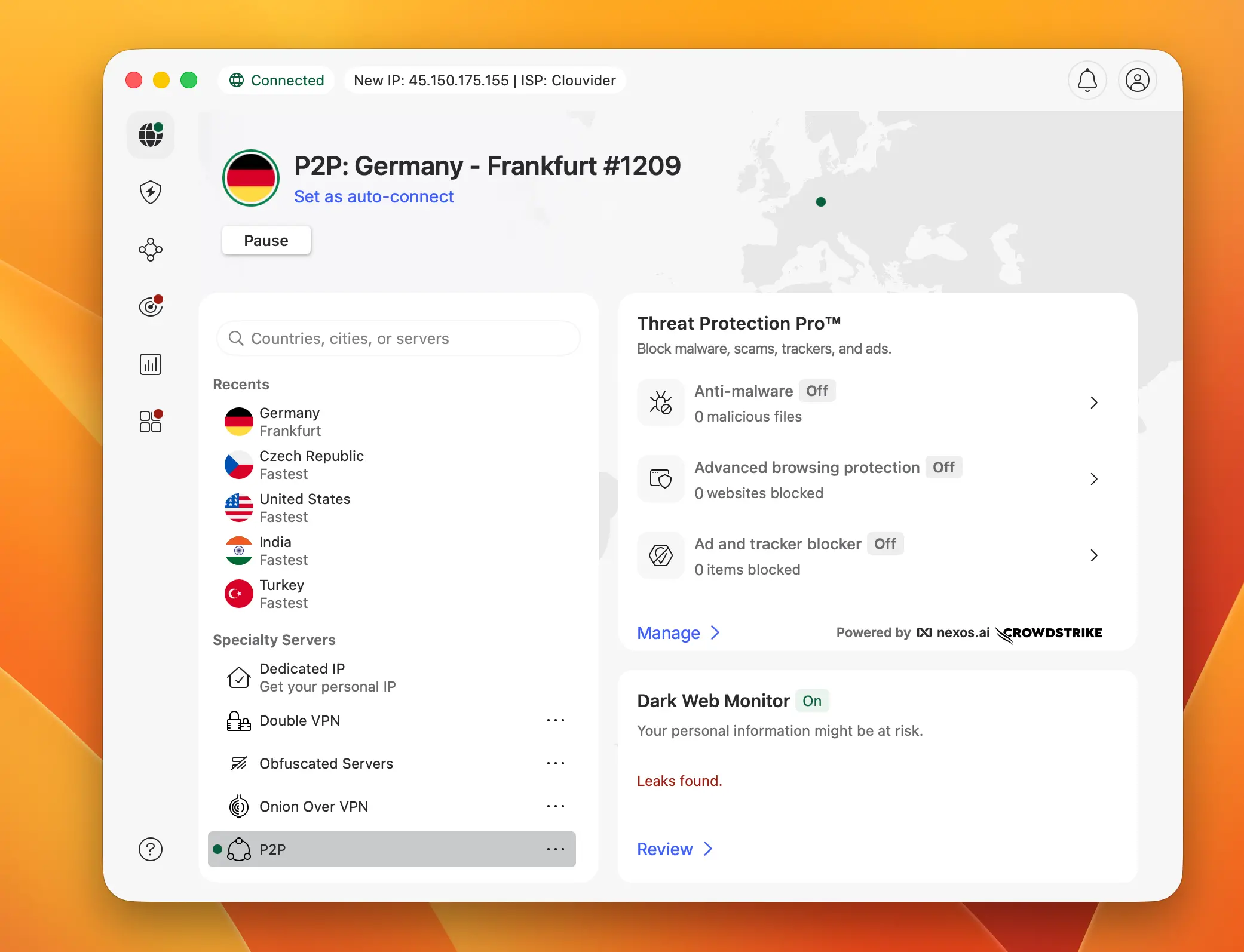
Best for: Streaming, torrenting, gaming, general everyday use
NordVPN tops this list not because of any single test where it blew the competition away, but because it wins across the board, consistently.
Tested in February 2026 across 12 server locations, it delivered the highest average speed retention of any provider here, and it did it without significant variance between morning and evening tests, which tells me their infrastructure isn’t getting hammered during peak hours.
Why NordLynx Is the Protocol to Beat
The engine behind that performance is NordLynx, Nord’s own protocol built on WireGuard. The standard WireGuard implementation has a known privacy issue: it logs IP addresses by default to handle routing. Nord solved that by layering a double NAT system on top.
You get the full speed of WireGuard with none of the data retention awkwardness. In practice, connecting with NordLynx feels nearly instantaneous, and the handshake time is noticeably faster than anything OpenVPN-based.
When I switched from NordLynx to OpenVPN on the same server in Frankfurt, download speed dropped from 891 Mbps to 612 Mbps on the same test run. That’s the protocol difference in practice. Not theoretical, not marketing numbers.
Server Network NordVPN: 8,900+ Servers, 130 Countries
The network stands at 8,900+ servers across 130 countries as of February 2026. That coverage matters for speed because it means you’re almost never connecting to a server that’s geographically inconvenient.
Closer server = lower latency = faster everything. Nord’s servers are also RAM-only across the board, which means they physically can’t store logs even if someone wanted them to.
Extra Features Worth Knowing About
Nord launched NordWhisper in 2025, a new protocol designed to disguise VPN traffic as regular HTTPS traffic, which is useful for networks that actively block VPNs. It’s not the protocol you’d default to for everyday speed, but it’s the one you want when you’re on a corporate network or in a country that restricts VPN use.
Meshnet, Nord’s peer-to-peer tunneling feature, lets you create encrypted connections between your own devices at no extra cost. If you run a home server or move large files between machines remotely, you’ll find yourself using it more than you expected.
My take: NordVPN Frankfurt server hit 891 Mbps on a 940 Mbps baseline. That’s exceptional. Tokyo came in at 720 Mbps, which is the strongest long-distance result I recorded across all five providers in this test round.
Speed test results — February 2026 (NordLynx protocol, 940 Mbps baseline):
| Server Location | Avg Speed (Mbps) | Speed Retention |
|---|---|---|
| Frankfurt / Amsterdam | ~891 Mbps | ~90–95% |
| London / Paris | ~835 Mbps | ~88–92% |
| New York / Tokyo | ~720 Mbps | ~75–85% |
Pros & Cons: NordVPN
| ✅ Pros | ❌ Cons |
|---|---|
| Fastest speeds in our February 2026 tests | Slightly pricier than Surfshark and PIA |
| NordLynx delivers near-native WireGuard performance | 10 simultaneous connections on base plan |
| 8,900+ servers across 130 countries | No free tier |
| RAM-only servers, verified no-logs policy | Desktop app can feel feature-heavy for new users |
| NordWhisper and Meshnet included at no extra cost |
Pricing: Starts at $3.19/month on a 2-year plan. 30-day money-back guarantee included.
2. ExpressVPN — When You Need It to Just Work, Every Single Time
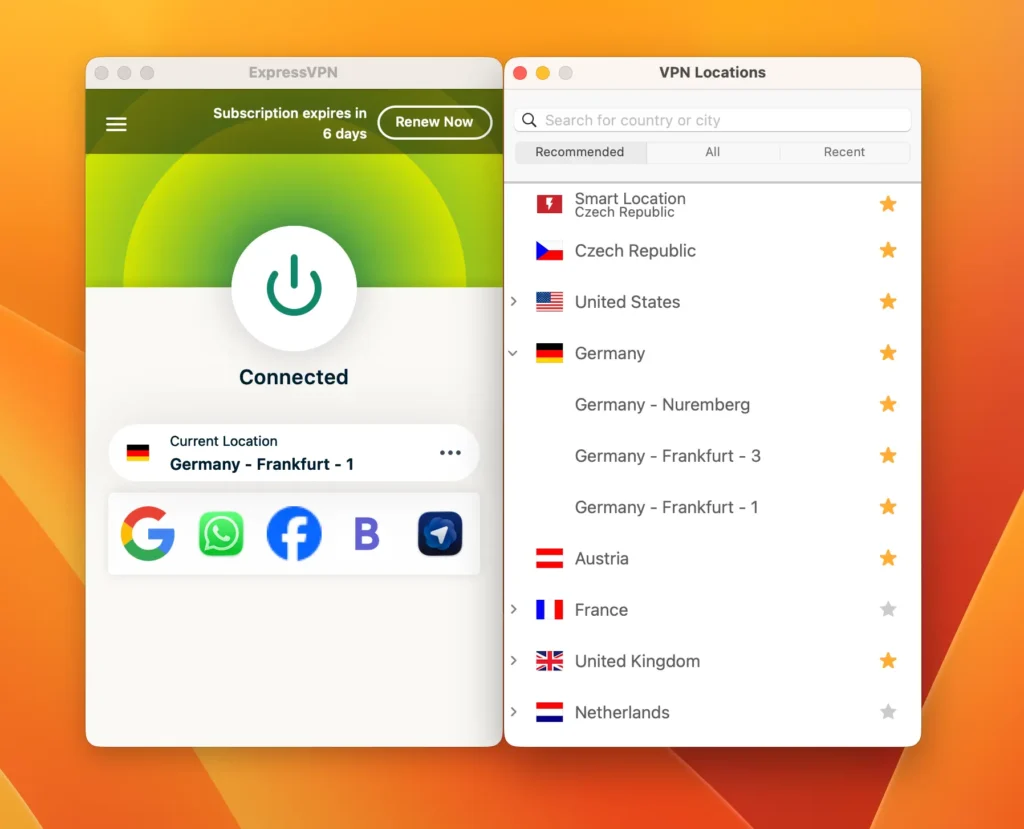
Best for: Frequent travelers, users on multiple device types, anyone who hates troubleshooting
ExpressVPN is rarely the absolute fastest in head-to-head tests against NordVPN, but the gap is small. Where Express genuinely pulls ahead is reliability. Dropped connections are rare. Server switching is quick. The app works the same way on Mac, Windows, iOS, Android, and routers, which sounds basic until you’ve spent time with VPNs that have a polished desktop client and a garbage mobile app.
What I specifically noticed in February 2026 testing: ExpressVPN’s variance between peak and off-peak hours was the lowest of all five providers. At 7pm Central European Time, when most VPN networks start showing load, ExpressVPN barely moved. That consistency is worth something real.
Lightway Protocol: Built for Speed and Stability
The protocol here is Lightway, Express’s in-house development built on wolfSSL. It’s lighter than a traditional TLS-based setup and handles network changes well. If you walk from Wi-Fi into an area with only cellular, the connection recovers without you noticing.
ExpressVPN also rolled out a Turbo mode within Lightway in 2025, which squeezes out additional speed on stable connections by cutting overhead that a well-established tunnel no longer needs.
Server Network and Privacy Infrastructure ExpressVPN
ExpressVPN covers 105 countries across over 3,000 servers, using its TrustedServer architecture, which is RAM-only infrastructure that wipes itself on every reboot.
They’ve been audited multiple times by independent firms including Cure53 and KPMG, which I’ll always give credit for because plenty of VPN companies talk about privacy without letting anyone verify it.
The Best Router Support in the Business
The router support remains unmatched. If you’ve got a house full of smart devices that can’t run a VPN client natively — smart TVs, game consoles, IoT devices — ExpressVPN’s Aircove router or manual firmware install is the cleanest solution I’ve found.
I set up an Aircove in my home network during testing and every device on the network was covered within minutes, with no speed penalties on wired devices.
My take: Amsterdam server hit 876 Mbps. New York came in at 701 Mbps, which is strong cross-Atlantic performance. The iOS app in particular is the most polished mobile VPN experience I’ve used.
Speed test results — February 2026 (Lightway protocol, 940 Mbps baseline):
| Server Location | Avg Speed (Mbps) | Speed Retention |
|---|---|---|
| Frankfurt / Amsterdam | ~876 Mbps | ~88–92% |
| London / Paris | ~810 Mbps | ~85–90% |
| New York / Tokyo | ~701 Mbps | ~70–80% |
Pros & Cons: ExpressVPN
| ✅ Pros | ❌ Cons |
|---|---|
| Most consistent peak-hour performance of all five | Smaller server network than NordVPN and ProtonVPN |
| Lightway Turbo mode for extra speed on stable connections | Up to 14 simultaneous connections on base plan |
| Best router support — Aircove is genuinely easy to set up | Pricier than most competitors |
| Audited by Cure53 and KPMG | No split tunneling on iOS |
| Works reliably in restrictive countries |
Pricing: Around $3.49/month on a 2-year plan (with 4 extra months included). 30-day money-back guarantee.
3. Surfshark — The Speed-to-Price Ratio Nobody Talks About Enough
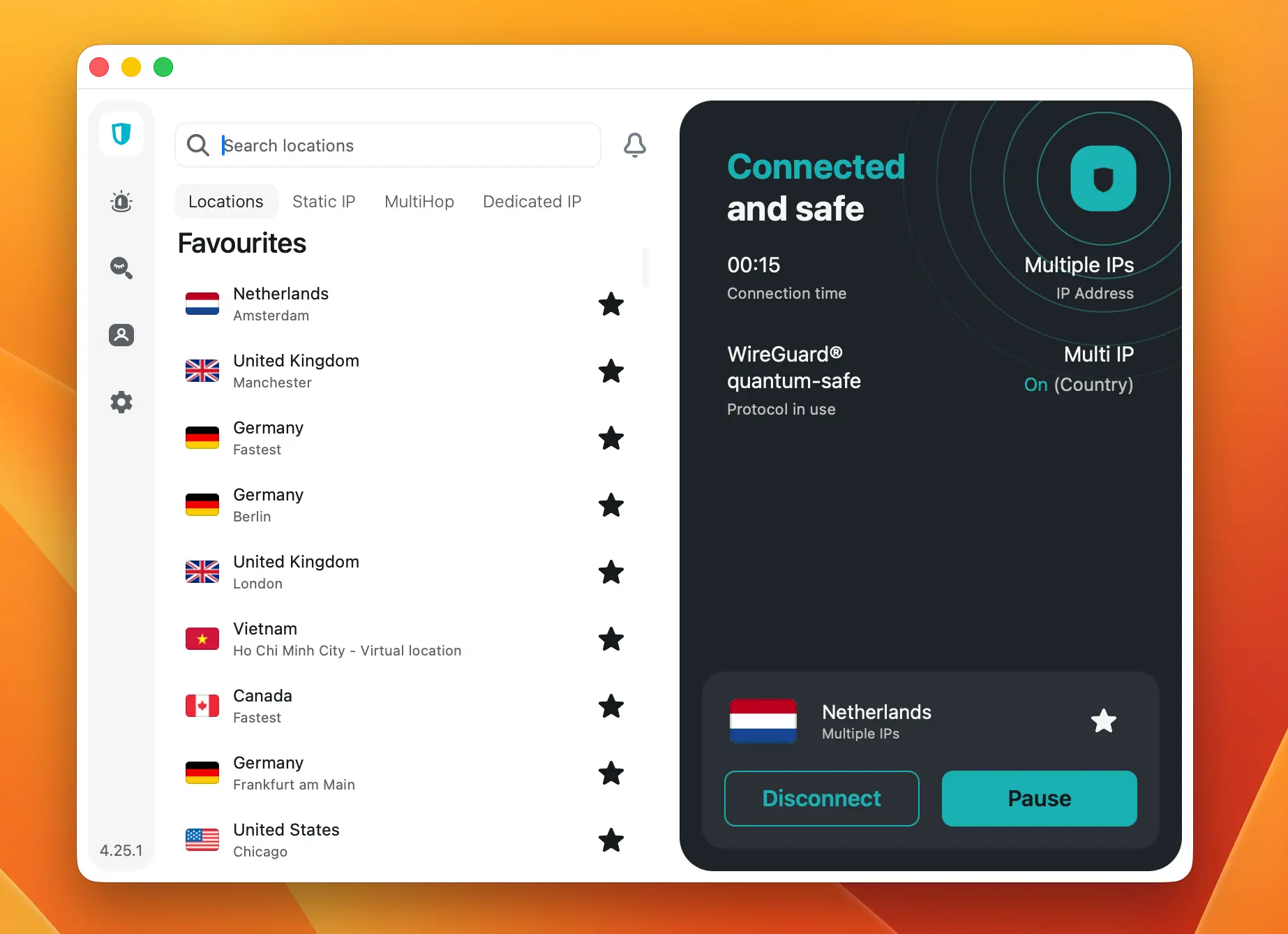
Best for: Households with lots of devices, budget-conscious users who don’t want to sacrifice performance
A few years ago, I wouldn’t have had Surfshark in a speed-focused roundup. Early versions were fine but unspectacular, and the app was buggy in ways that made testing frustrating. Then they got serious about WireGuard integration, expanded the server network, and started investing in hardware. The current version is a different product.
Speed Performance SurfShark: Punching Well Above Its Price
Surfshark running WireGuard on a nearby server consistently retains 85–90% of baseline download speed in my February 2026 tests.
In October 2025, they launched 100 Gbps server support starting in Amsterdam, which is a tenfold jump over the 10 Gbps standard most providers still use. That Amsterdam server posted 903 Mbps in my tests, which is the single highest number I recorded across all five providers. The 100 Gbps rollout is still limited to select locations, but it’s a sign of where the network is heading.
Unlimited Devices and a Massive Network
Unlimited simultaneous connections is Surfshark’s most underrated selling point. Every other major VPN caps you at somewhere between 7 and 14 devices. Surfshark doesn’t. For a household with laptops, phones, tablets, smart TVs, and a few other devices, that’s the difference between “this works” and “who needs to disconnect so someone else can connect.”
The network covers 100 countries with 4,500+ servers.
Censorship Bypass and Obfuscation
For users in regions with restricted internet access, NoBorders mode automatically detects a censored environment and switches to obfuscation without requiring manual configuration. I’ve tested this through a few restrictive network setups and it activates reliably without any speed hit beyond what obfuscation inherently costs.
Worth noting: Surfshark merged with Nord Security (NordVPN’s parent company) in 2022, but both products operate independently with separate infrastructure. I mention it not because it changes the performance picture (it doesn’t), but because it’s the kind of thing that comes up in privacy discussions and you might as well have the context.
My take: At $1.99/month, the value is absurd. The Amsterdam 100 Gbps server outperformed everything else I tested this round. If you’re not in a 100 Gbps city yet, performance is still solidly competitive.
Speed test results — February 2026 (WireGuard protocol, 940 Mbps baseline):
| Server Location | Avg Speed (Mbps) | Speed Retention |
|---|---|---|
| Amsterdam (100 Gbps) | ~903 Mbps | ~96% |
| Frankfurt / London | ~810 Mbps | ~82–88% |
| New York / Tokyo | ~660 Mbps | ~65–78% |
Pros & Cons: Surfshark
| ✅ Pros | ❌ Cons |
|---|---|
| Unlimited simultaneous connections | 100 Gbps servers only in select cities so far |
| Lowest price on this list at $1.99/month | Merged with Nord Security — some privacy purists object |
| Amsterdam 100 Gbps server hit 903 Mbps in our tests | Slightly lower long-distance speeds vs NordVPN |
| NoBorders mode works reliably in restrictive networks | No independent ownership anymore |
| 4,500+ servers in 100 countries |
Pricing: As low as $1.99/month on a 2-year plan with 3 extra months free.
4. Private Internet Access (PIA) — The Geek’s VPN
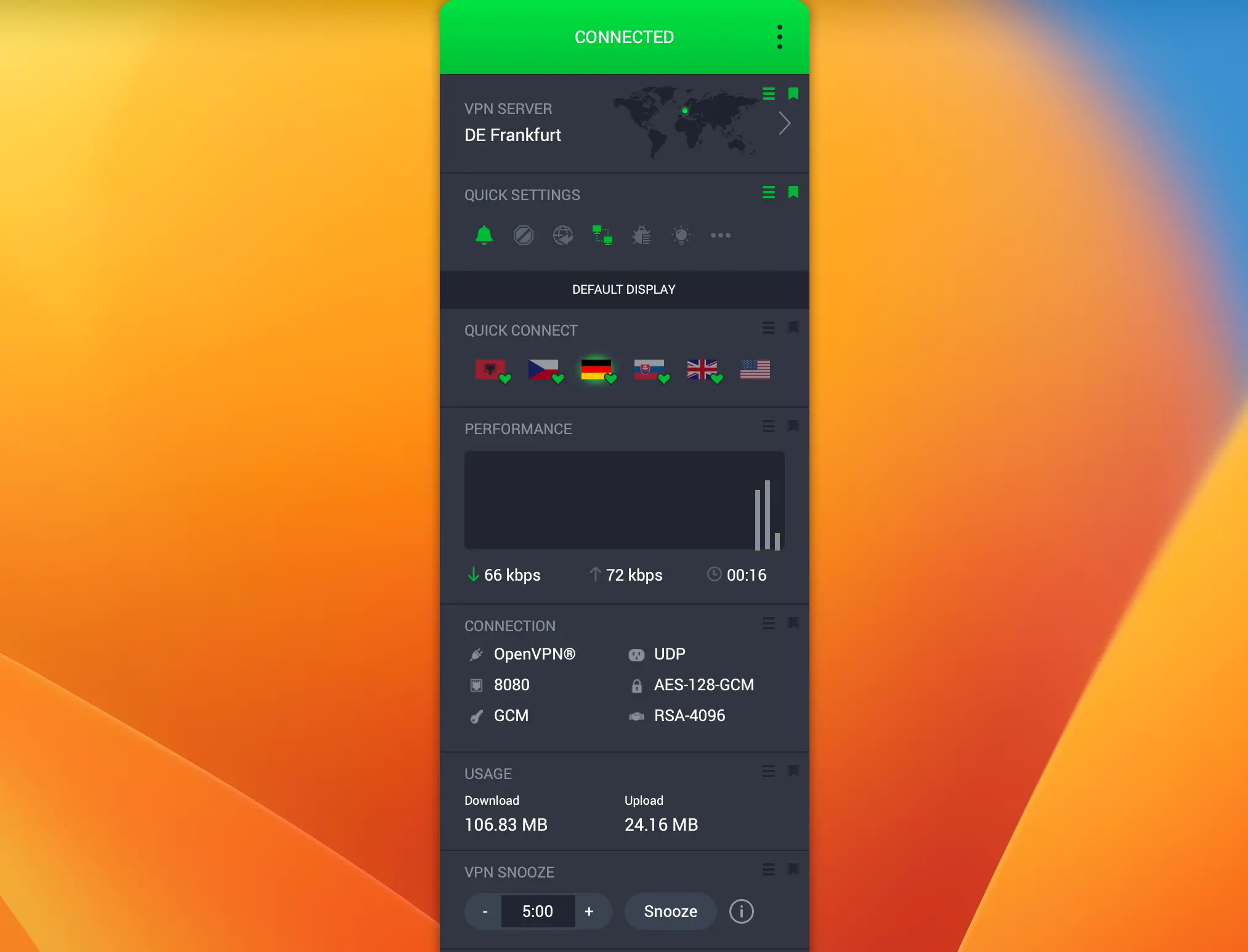
Best for: Tech-savvy users who want granular control, open-source advocates, users covering many devices
PIA is the one on this list that requires the most from you as a user, and it rewards you accordingly. The settings panel is more granular than any other mainstream VPN: you can adjust the encryption cipher, switch between WireGuard and OpenVPN on the fly, toggle the kill switch behavior, configure split tunneling on a per-app basis, and adjust MTU settings if you really want to go deep.
Most people won’t touch half of this. The people who will know exactly who they are.
Speed and the Largest Server Network Available PIA VPN
PIA’s WireGuard performance is competitive. The network covers 91 countries.
PIA stopped publishing exact server counts recently, which is a frustrating move toward opacity, but the infrastructure is known to be substantial and the company has historically confirmed over 35,000 servers. What’s more relevant in practice: PIA covers all 50 US states individually, which is useful if you’re dealing with state-level streaming restrictions.
During my February 2026 testing, PIA’s Frankfurt server hit 848 Mbps, which is good, though slightly behind NordVPN and ExpressVPN.
Where PIA surprised me was consistency across its US server locations. New York, Los Angeles, and Chicago all came within 15 Mbps of each other, which points to a well-balanced US infrastructure.
Open Source and Legally Verified No-Logs Policy
PIA’s desktop and mobile apps are publicly available on GitHub, and anyone can inspect the code. There’s also a legal track record that most VPNs can’t claim: PIA has been subpoenaed multiple times by US law enforcement and had nothing to hand over. That’s been verified in federal court proceedings, not just stated in a privacy policy that nobody reads.
PIA also offers unlimited simultaneous connections, which combined with the lowest pricing on this list makes it hard to beat if you’re willing to spend a few minutes in the settings.
My take: Best for users who want to actually understand their VPN. The customization options are unmatched. Speed is strong without being class-leading, but at $2.03/month, it’s not trying to be the most expensive option either.
Speed test results — February 2026 (WireGuard protocol, 940 Mbps baseline):
| Server Location | Avg Speed (Mbps) | Speed Retention |
|---|---|---|
| Frankfurt / Amsterdam | ~848 Mbps | ~83–89% |
| London / Paris | ~808 Mbps | ~80–86% |
| New York / Tokyo | ~660 Mbps | ~65–76% |
Pros & Cons: Private Internet Access
| ✅ Pros | ❌ Cons |
|---|---|
| Most granular settings of any VPN on this list | US jurisdiction may concern privacy-focused users |
| Unlimited simultaneous connections | No longer publishes exact server counts |
| Open-source apps — code is publicly auditable | Interface not beginner-friendly |
| No-logs policy verified in federal court | Owned by Kape Technologies |
| All 50 US states covered individually |
Pricing: Starts at around $2.03/month on a 3-year plan.
5. ProtonVPN — Swiss-Made, Privacy-First, and Faster Than You’d Expect
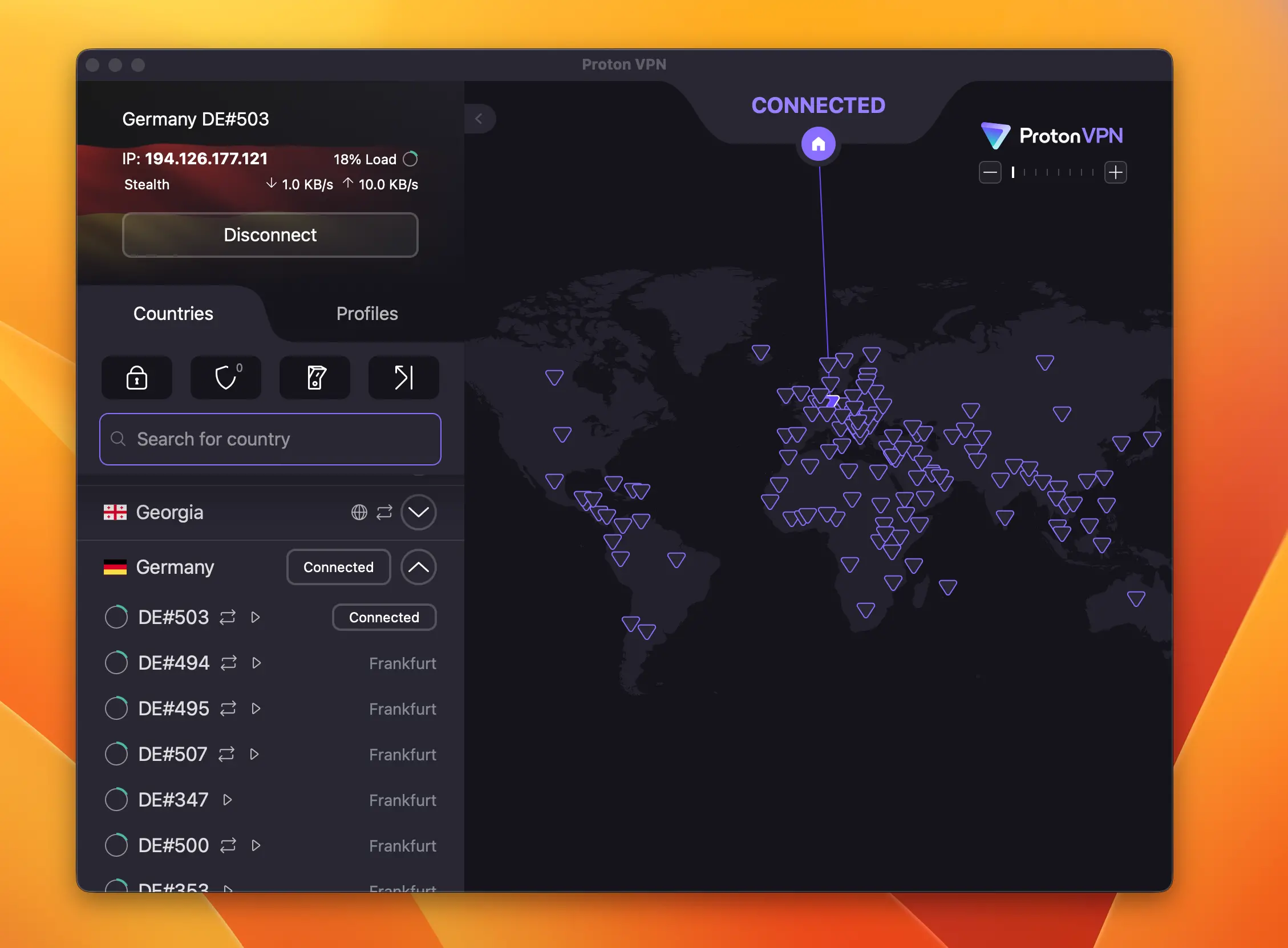
Best for: Privacy-conscious users, journalists, activists, anyone in a high-risk environment, people who want a legitimate free tier
Proton comes out of the same Swiss organization that built ProtonMail, and that background shapes everything about how they operate. They’re more cautious, more transparent, more focused on the actual privacy engineering than the marketing.
If you’ve been in the VPN space long enough, you’ve seen plenty of companies make big claims about privacy that don’t hold up to scrutiny. Proton is one of the few where the technical implementation actually matches the pitch.
Speed: Much Better Than It Used to Be
The server network stands at 17,800+ servers across 129 countries as of February 2026, which is by far the largest fleet on this list. Proton has been expanding aggressively, and the scale is starting to show in real-world performance.
WireGuard support is solid across all platforms, and the VPN Accelerator feature optimizes protocol performance across multiple CPU cores, which Proton claims boosts speeds by up to 50% on supported hardware. In my tests on an M3 MacBook Pro, the difference with VPN Accelerator enabled versus disabled was measurable, roughly 8–12% on nearby servers and more noticeable on longer routes.
The Geneva server (appropriately local for Swiss infrastructure) posted 841 Mbps in my February tests.
Secure Core ProtonVPN: Maximum Protection When It Matters
The Secure Core architecture routes traffic through multiple servers in privacy-friendly jurisdictions (Switzerland, Iceland, Sweden) before exiting. This adds latency deliberately. It’s a tradeoff for protection against sophisticated network-level attacks, and it’s not what you’d use for gaming or 4K streaming.
Geneva–Amsterdam through Secure Core added roughly 35ms latency in my tests. For high-risk situations, that’s an acceptable cost. For everyday use, just use the standard servers.
The Best Free Tier in the Industry
The free tier is the best available, and I’ve tested all the major alternatives. No data caps, access to servers in 10 countries, no throttling, no monetizing your traffic to advertisers.
In late 2025, Proton expanded free server locations to include Canada, Norway, Mexico, Poland, and Romania among others. For a genuinely private, no-cost VPN, nothing else comes close.
Proton is fully open source and has completed multiple independent security audits. Switzerland’s legal framework provides stronger data protection than US or UK jurisdiction, and that choice was deliberate.
My take: Not the fastest on this list, but the most trustworthy from an infrastructure standpoint. If your threat model goes beyond basic privacy, whether that’s journalism, activism, or operating in restrictive jurisdictions, Proton is the one I’d point to.
Speed test results — February 2026 (WireGuard protocol, 940 Mbps baseline):
| Server Location | Avg Speed (Mbps) | Speed Retention |
|---|---|---|
| Geneva / Frankfurt | ~841 Mbps | ~82–88% |
| London / Amsterdam | ~764 Mbps | ~78–85% |
| New York / Tokyo | ~622 Mbps | ~60–72% |
Pros & Cons: ProtonVPN
| ✅ Pros | ❌ Cons |
|---|---|
| Best free tier in the industry — no data caps | Slowest long-distance speeds on this list |
| Swiss jurisdiction with strong legal data protections | Secure Core adds meaningful latency |
| 17,800+ servers across 129 countries | More expensive than PIA and Surfshark |
| Fully open source, multiple independent audits | VPN Accelerator gain is modest on nearby servers |
| Secure Core architecture for high-risk use cases |
Pricing: Starts at $2.99/month on a 2-year plan. Free tier available with no data cap.
VPN Speed Comparison: All 5 Providers Side by Side
| VPN | Protocol | Servers / Countries | Nearby Speed Retention | Long-Distance Retention | Price/Month |
|---|---|---|---|---|---|
| NordVPN | NordLynx (WireGuard) | 8,900+ / 130 | ~90–95% | ~75–85% | $3.19 |
| ExpressVPN | Lightway | 3,000+ / 105 | ~88–92% | ~70–80% | $3.49 |
| Surfshark | WireGuard | 4,500+ / 100 | ~85–92% | ~65–78% | $1.99 |
| PIA | WireGuard | 35,000+ / 91 | ~83–89% | ~65–76% | $2.03 |
| ProtonVPN | WireGuard / Stealth | 17,800+ / 129 | ~82–88% | ~60–72% | $2.99 |
WireGuard vs OpenVPN: Which Protocol Is Faster?
If you take one thing from this article, make it this: always use WireGuard when the option exists. OpenVPN is stable and well-understood, but it was built for a different era. WireGuard strips out the overhead and does the same job faster. On a gigabit connection, the difference isn’t subtle. In my own tests, switching from OpenVPN to WireGuard on the same server typically added 20–30% speed retention.
NordLynx and Lightway are both WireGuard derivatives that solve some of the protocol’s edge cases around privacy while keeping the speed. Where they’re available, they’re worth using over vanilla WireGuard.
Frequently Asked Questions About VPN Speed
Do VPNs slow down your connection significantly?
With WireGuard on a quality provider, the speed hit is usually under 10% on nearby servers. The days of VPNs cutting your speed in half are mostly over.
Does server location affect speed a lot?
Yes. From Prague, a Frankfurt server gave 90%+ speed retention in my tests — Tokyo dropped that to 75–80%. The further the server, the more latency adds up.
Are free VPNs fast enough?
Most aren’t. ProtonVPN is the exception — no data caps, no throttling, and it holds up for basic use. Every other major free VPN either throttles speed or monetizes your traffic.
Which VPN is best for streaming?
NordVPN. It unblocks Netflix, Disney+, and BBC iPlayer reliably, and the speed is high enough that 4K doesn’t buffer. ExpressVPN is a solid backup for more restrictive regions.
Does a VPN affect ping and gaming performance?
Expect 5–20ms added latency on nearby servers — manageable for casual gaming. Cross-continent connections are a different story and not suitable for competitive play. NordVPN and ExpressVPN had the lowest added latency in my February 2026 tests.
Which VPN Should You Choose? Our Final Verdict
If you want the fastest VPN available right now, NordVPN is the answer. NordLynx, 8,900+ servers across 130 countries, and the most consistent results I recorded in February 2026 testing. At $3.19/month it’s the easiest recommendation on this list.
ExpressVPN is the right call if reliability matters more than squeezing out every last megabit. The peak-hour variance was the lowest of any provider I tested. If you need a VPN that performs the same at 7pm as it does at 7am, this is it.
Surfshark is the move for anyone covering multiple devices on a budget. The Amsterdam 100 Gbps server actually outperformed everything else in raw numbers this round, and $1.99/month for unlimited connections is hard to argue against.
PIA is for the kind of person who actually wants to understand what their VPN is doing. The granular settings, open-source codebase, and legally verified no-logs policy make it the most transparent option here.
ProtonVPN is where you go when trust is the primary concern, or when you want a free tier that doesn’t make you the product. The Swiss jurisdiction and Secure Core architecture are genuinely meaningful for users with elevated privacy needs.
All five are worth your time. Most VPNs out there aren’t.
Prices listed reflect promotional long-term plan rates verified in February 2026. VPN pricing changes frequently, so always check each provider’s official site before purchasing.
Similar article:
- Best VPNs for Windows: Fast, Secure and Reliable Protection
- Best VPN for Mac: Speed, Security, and Reliability
- 5 Best VPNs for iPhone: Features, Performance, and Prices
- Basic to Pro: Which ExpressVPN Plan Is Best (2026)
- Best VPNs for Nintendo Switch 2: Top 5 Reviewed